In a recent discussion at the orange site sparked by the Emacs 31 Is Around the Corner: The Changes I’m Already Daily Driving article, people were asking themselves “Is anyone still using Emacs?” and then providing their own perspective.
For me, the answer is a resounding yes… but the interesting part is that I’m not still using Emacs: I’m actually using Emacs again. And instead of burying my answer to the opening question in a long discussion thread, I thought I’d explain my journey with and without Emacs for the last… almost 30 years. At the end, I’ll unveil the specific feature that I feel gives me superpowers and that keeps me hooked.
From DOS and Windows to Linux
I got into Linux around 1997 via Caldera OpenLinux 1.1. Before then, I had extensively played with Borland Turbo C++ and Visual Basic as a kid so I was heavily accustomed to those fancy IDEs that we lost.
As I got into Linux and found myself in an alien world, I had to buy a couple of introductory books. Yes, books, the printed kind—because that’s how we had to learn new stuff before. Both books talked about Vim and Emacs and presented them as the advanced choices. I found this strange because the IDEs I had used before seemed more complete, but I, being a Windows renegade for some reason, charged ahead. I learned the basics of both editors and went through their tutorials at different times.
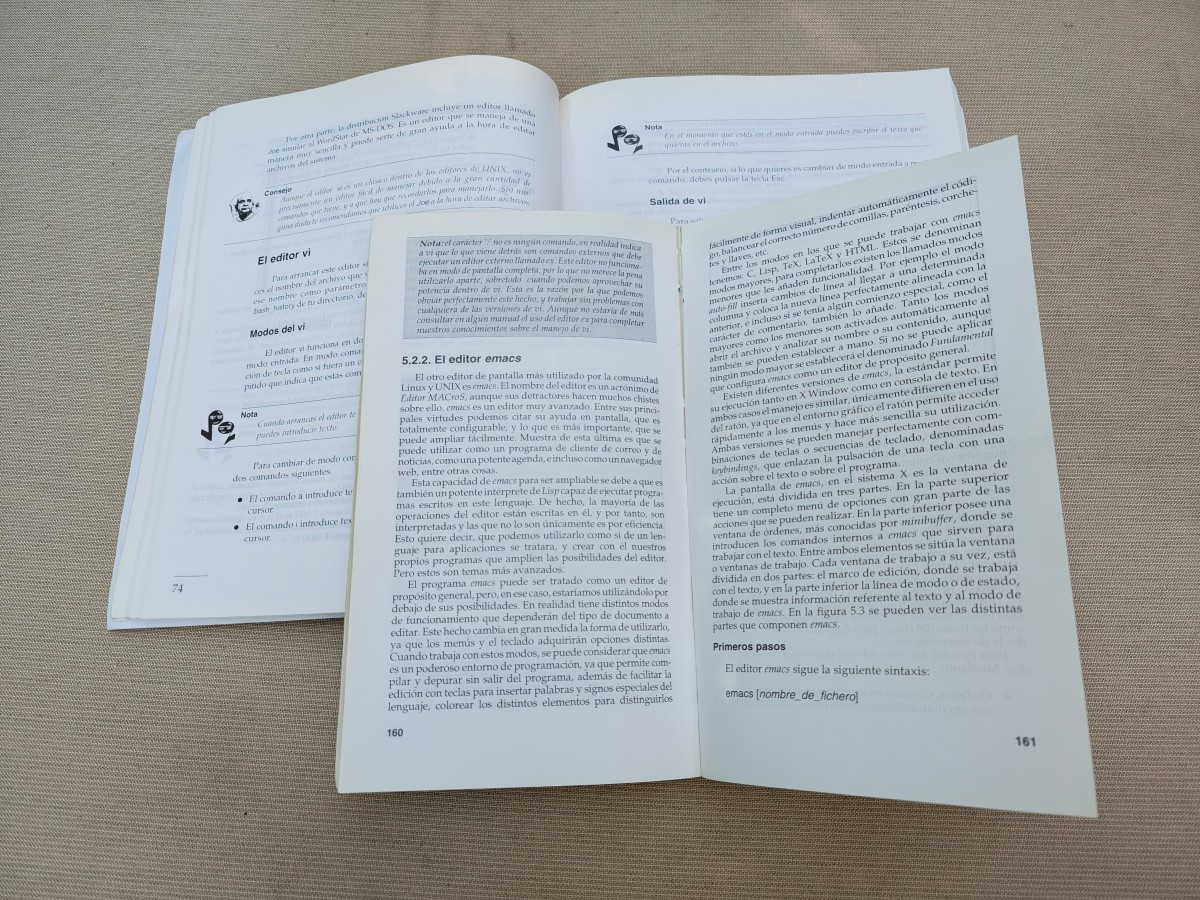
Since then and until roughly 2015, I flip-flopped between Vim and Emacs. At times I used one, and at times I used the other. I favored Emacs for long-running coding sessions but Vim excelled at my pkgsrc work where I had to edit tens of different files in quick succession.
The switch to VSCode and IntelliJ
Even though Vim and Emacs worked well for me, I missed something. Language integration was poor so I was tempted by the more modern editors that everyone was touting, and especially so as I moved to macOS. I tried a bunch, like the now-defunct Atom and Brackets, but they all felt brittle and overwhelming: they had too many features, too many settings.
And then, VSCode arrived in 2015. As I took it for a test drive, it “felt right” from the get-go. It looked modern, was relatively small, and its plain and simple settings editor—read: just a JSON file because there were no settings panels yet!—made me feel like I was in control. I could understand this modern editor and easily tune it to my needs.
Soon after, I started learning Go and then Rust, and VSCode’s integration with their corresponding LSPs made that process so much easier: code auto-completion and real-time error highlighting sped up my learning significantly. I stuck with VSCode for these languages and slowly phased Emacs out. I was sold.
During that time period, I was also working on Bazel—a Java project—at Google and the natural choice for it was IntelliJ. I had tried to use Emacs for Java development at some point, but IntelliJ was (and still is) so good that it was the only realistic choice.
My usage of VSCode with its Vim plugin continued through my short stint at Microsoft, where I was working on a C++ codebase and had to connect to remote Windows boxes. Most people used RDP to work on the remote machine “directly”, but I couldn’t stand that workflow: I very much preferred running VSCode on my desktop and using SSH to connect to the remote machine, which is something that VSCode does very well.
Back to (Doom) Emacs
And then… I moved to Snowflake in 2022 where development used to happen inside an ancient Linux VM and where my day-to-day job was to write shell scripts and Bazel build files: neither VSCode nor IntelliJ were going to save me here, and as I mentioned earlier, I hate the feeling of working within the constraints of a “remote” graphical environment. So my instinct was to go back to SSH and connect to the local VM with it.
As I did that, I needed an editor for long work sessions, and the old and trusty Emacs was there waiting for me. But this time around, I didn’t have the patience to set it up. You see: I had accumulated hundreds of lines in my init.el file over the years without understanding much about them, and I wanted to throw it all away and start over… but it all felt like too much work. Maybe destiny brought Doom Emacs my way at the right time.
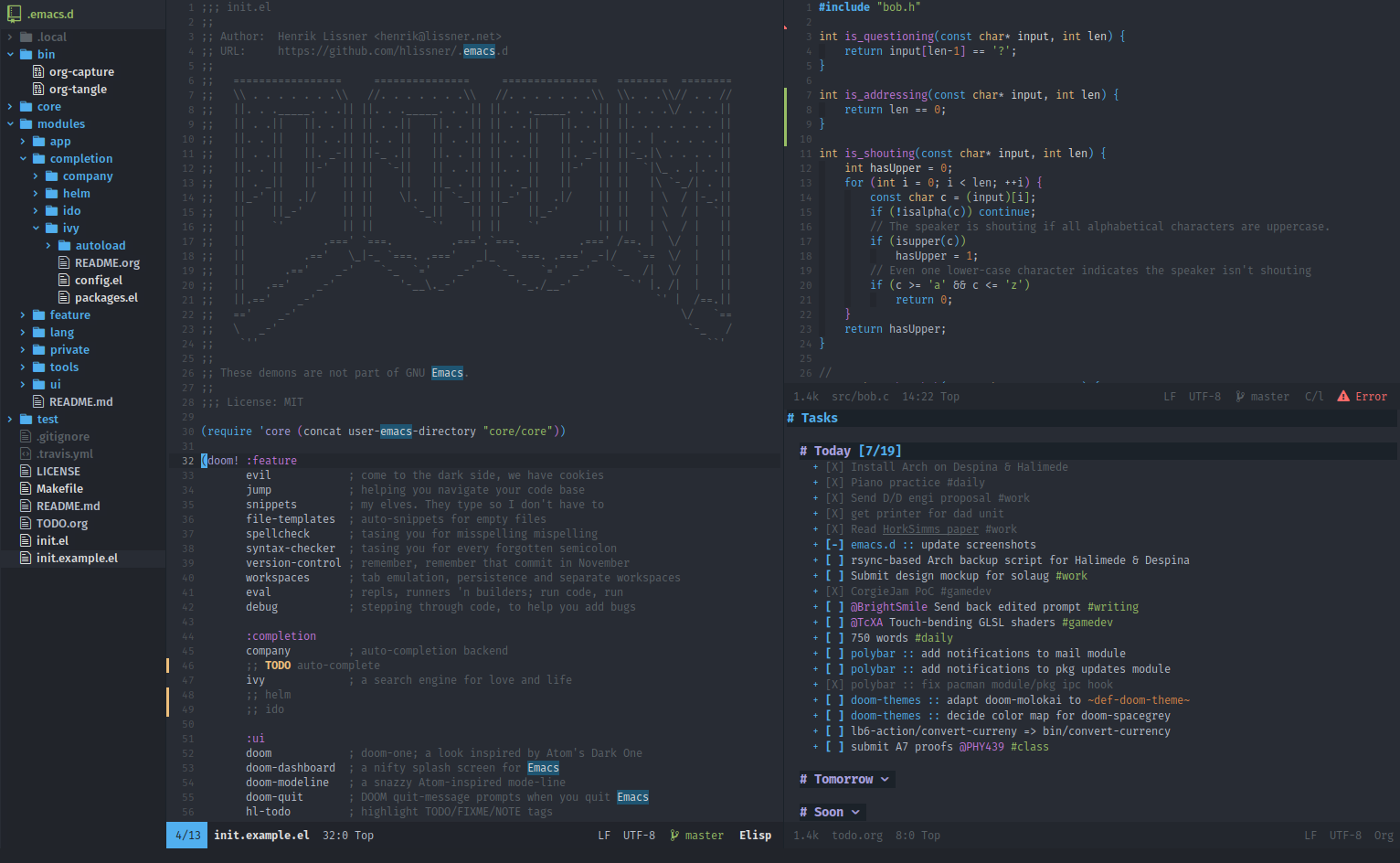
You see, Doom Emacs is an Emacs “distribution” where someone has gone through the pain (or joy, I won’t judge) of configuring Emacs from the ground up. More specifically, Doom Emacs offers sane defaults, predefined language integrations, and an experience that welcomes ex-Vimers. It doesn’t claim to be an IDE… but it feels like one to me.
Once I set it up, I experienced déjà-vu: Emacs felt right just like VSCode did in 2015. All of a sudden, lots of Emacs features became discoverable via interactive popup menus accessible behind space-based shortcuts that don’t destroy your wrists, and coexisting with the same Vim-style key bindings that I had grown so used to. But what’s more: the configuration felt simple and understandable, spread across just three trivial files:
config.elto specify global settings like the theme or the fonts to use,init.elto select which Doom-specific modules need to be enabled, andpackages.elto install non-Doom packages.
The defaults for these files are reasonable, with plenty of comments to configure the few details you might want to tune.
With this new setup, I have had the best Emacs experience ever. Thanks to the advances in LSPs (for which we have to thank VSCode) and modern features like tree-sitter, Emacs now feels like an IDE: I get proper language integration for most languages I have to deal with.
And the absolute killer feature for me is that I get the exact same development environment no matter what machine I need to work on. It doesn’t matter if it is a MacBook or a Linux laptop, or if I’m connecting to a Linux cloud workstation or even my own FreeBSD server: all I need is a shell, tmux, and Emacs, and I am equally productive. This, to me, is really valuable because I tend to work on a variety of machines and muscle memory pays off.
Isn’t Doom “too much” though?
If you research Doom Emacs online, you will find people “complaining” that “it does too much”. And that’s true: it does, which is why I find it so useful. But I often wonder if I could cut things down because someday I’d like to learn more about Emacs. This is especially true now that I see many modern third-party modules “graduating” and becoming part of the stock package.
For those reasons, I’ve recently been tempted to try the Bedrock or Emacs Solo distributions. However… the activation energy required to make the switch is pretty damn high. And if I decided to go that route, well, I’d still question myself for not truly going all the way to “raw” Emacs.
And before closing, a related thought: I can’t quite comprehend how Emacs becomes transformative for people due to its Elisp backing. Sure, I could implement more logic and workflows within Emacs, but I already do “everything” with ease in the shell via scripts—and scripts feel more Unix-y because “Unix is my IDE”. I actually don’t like how Org mode and Magit are “locked” behind Emacs instead of being standalone applications. I’m surely missing something, but I’m not quite sure what it is…
So coming back to the question that opened the article: yes, I still use Emacs, and it has become even more important to me than it was in the past due to my need to work on disparate remote machines all the time.
Now the questions for you are: do you “still” use it too? What distribution, if any? How does Emacs transform your workflows?