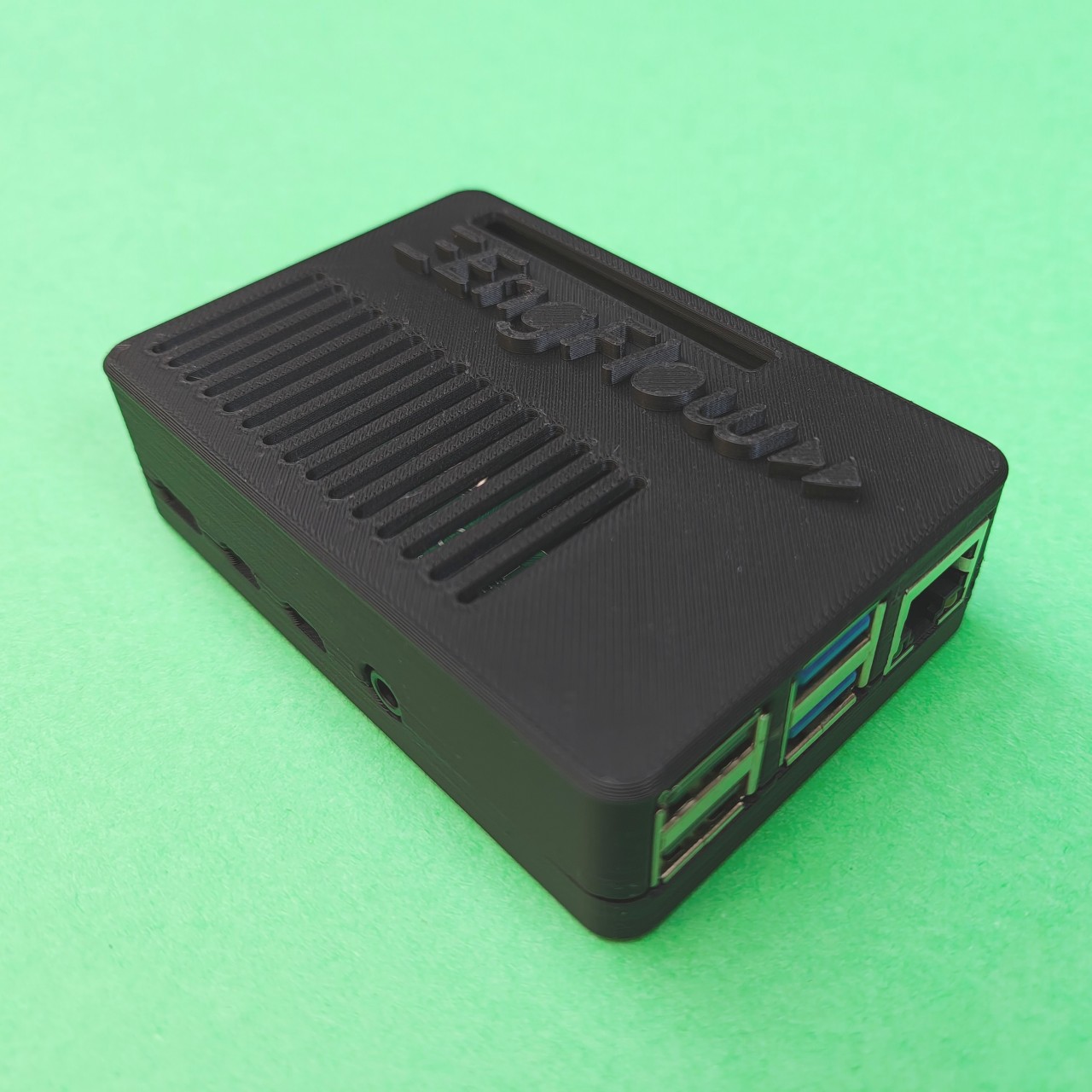
During BazelCon 2026 in early October, the fine folks at EngFlow gave me a very cool piece of swag: a Cache & Carry box or, in other words, a portable remote cache for Bazel builds. The only ask was for me to post a photo on social media, which I’d have gladly done, but… that seemed like too low a price for a nice piece of hardware. So I promised I would write an article instead.
The article is late, though, as I have been busy getting ZKeys out the door and trying to find a good idea for what to talk about. I finally got the right inspiration after taking an old PowerBook G4 laptop from 2004 out of the closet to play with Tabby-PPC. That experiment failed, but as the laptop sat on my desk, I thought: could I make it leverage the Cache & Carry and demonstrate the clear benefits of remote caching?
The answer was “of course yes” before even trying, but it was not going to be easy: this machine is severely underpowered by today’s standards and won’t run Bazel, so showing remote caching via a modern build system wasn’t going to be possible. I had to find an alternative demonstration path, and find it I did: the recc compiler wrapper. Even then, the benefits weren’t great on the first try, so I had to debug and iterate. In the end, the compilation time for recc itself dropped from a little over 1 hour to just 3 minutes. Let’s see how.
A blog on operating systems, programming languages, testing, build systems, my own software projects and even personal productivity. Specifics include FreeBSD, Linux, Rust, Bazel and EndBASIC.


What is Engflow and Cache & Carry?
EngFlow is a relatively new company that offers a hosted remote caching and execution service for Bazel builds. More specifically, EngFlow is an implementation of the Remote Execution (RE) API. And fun fact: the protocol name is RE, not RBE as many people call it, because RBE was Google’s own RE service that never really saw the light of day.

Cache & Carry is a little toy that packages the EngFlow remote cache (not execution) software into a Raspberry Pi 4 preconfigured to work as an appliance, enclosed into a branded 3D-printed case and packaged into a fancy cardboard box. Mind you: this is what I wanted to achieve with my own EndBOX last year but never went the last mile to distribute it as a truly finished toy.
Getting started
I’m quite used to EngFlow’s product by now because we use it at Snowflake to power our in-house builds and tests, so using the Cache & Carry was no difficulty. And it shouldn’t be for anyone given that configuration and management are pretty easy.
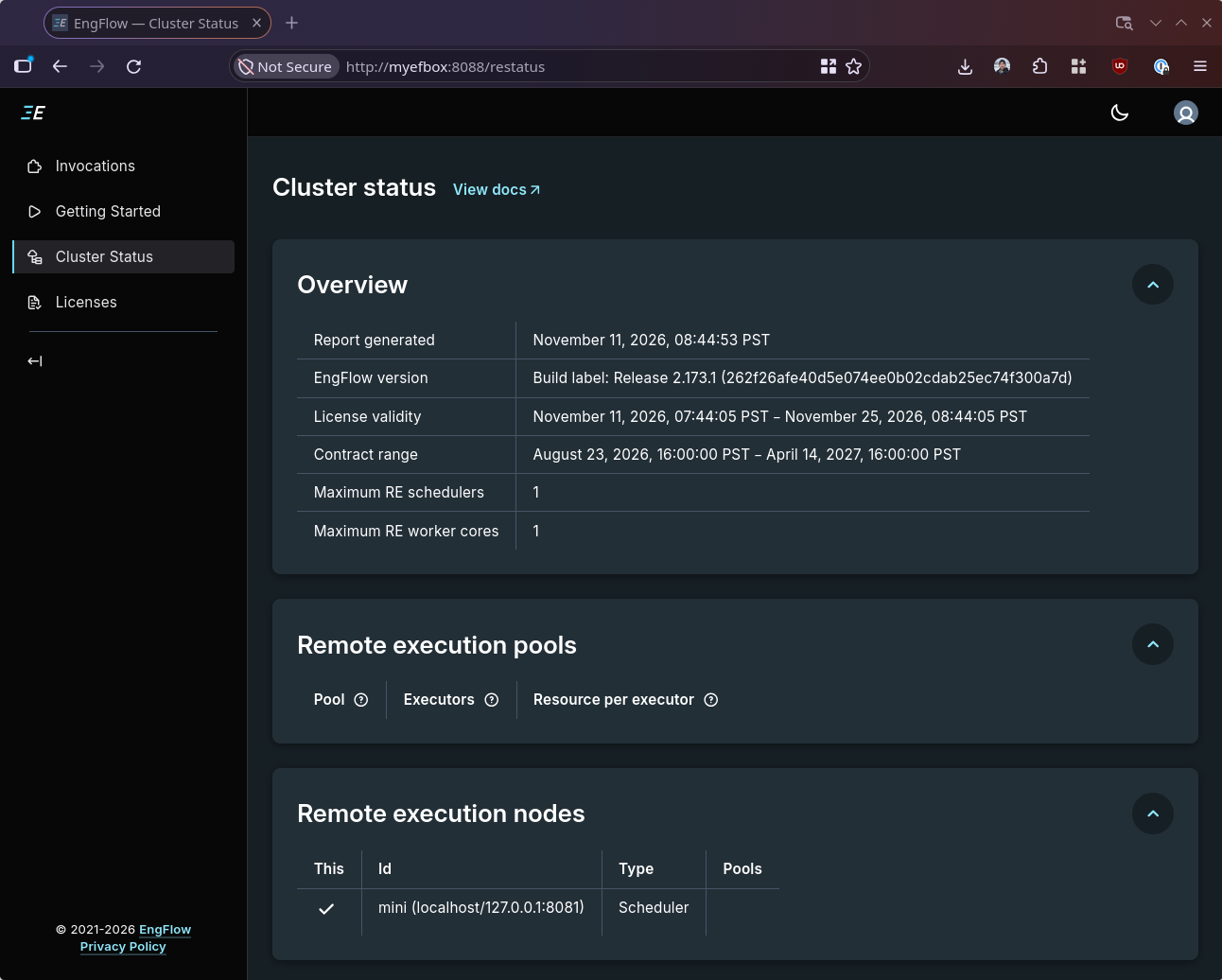
Here is the cluster status page right after plugging in the device and connecting to it, showing how this “cluster” is really just a cache and has no remote execution features:
Using it to run Bazel builds is trivial, really. All it took was to stick these few lines in my ~/.bazelrc file, as the instructions say:
build --remote_cache=grpc://myefbox:8080
build --bes_backend=grpc://myefbox:8080
build --bes_results_url=http://myefbox:8088/invocation/
build --remote_timeout=600
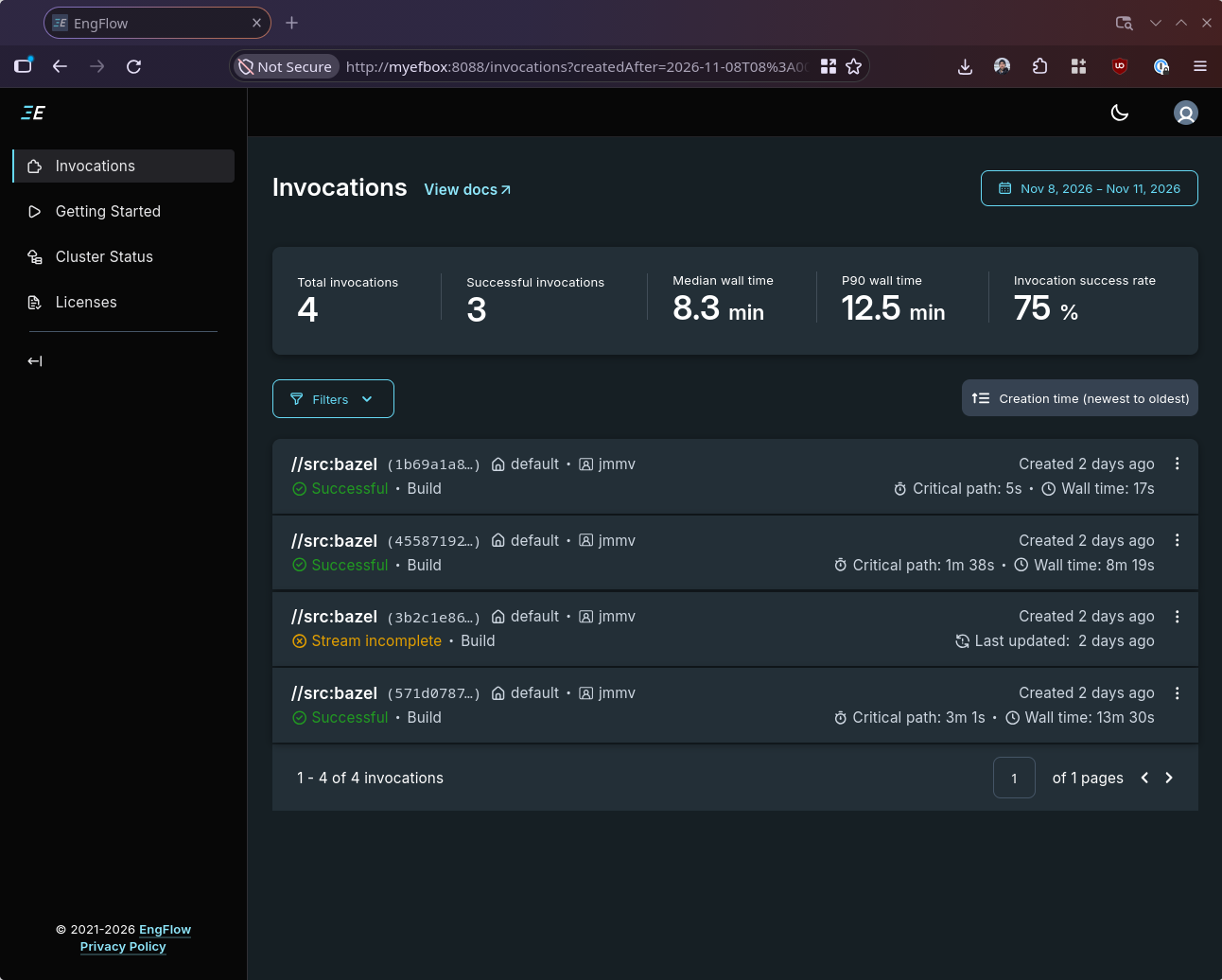
And just like that, builds started showing up in the UI:
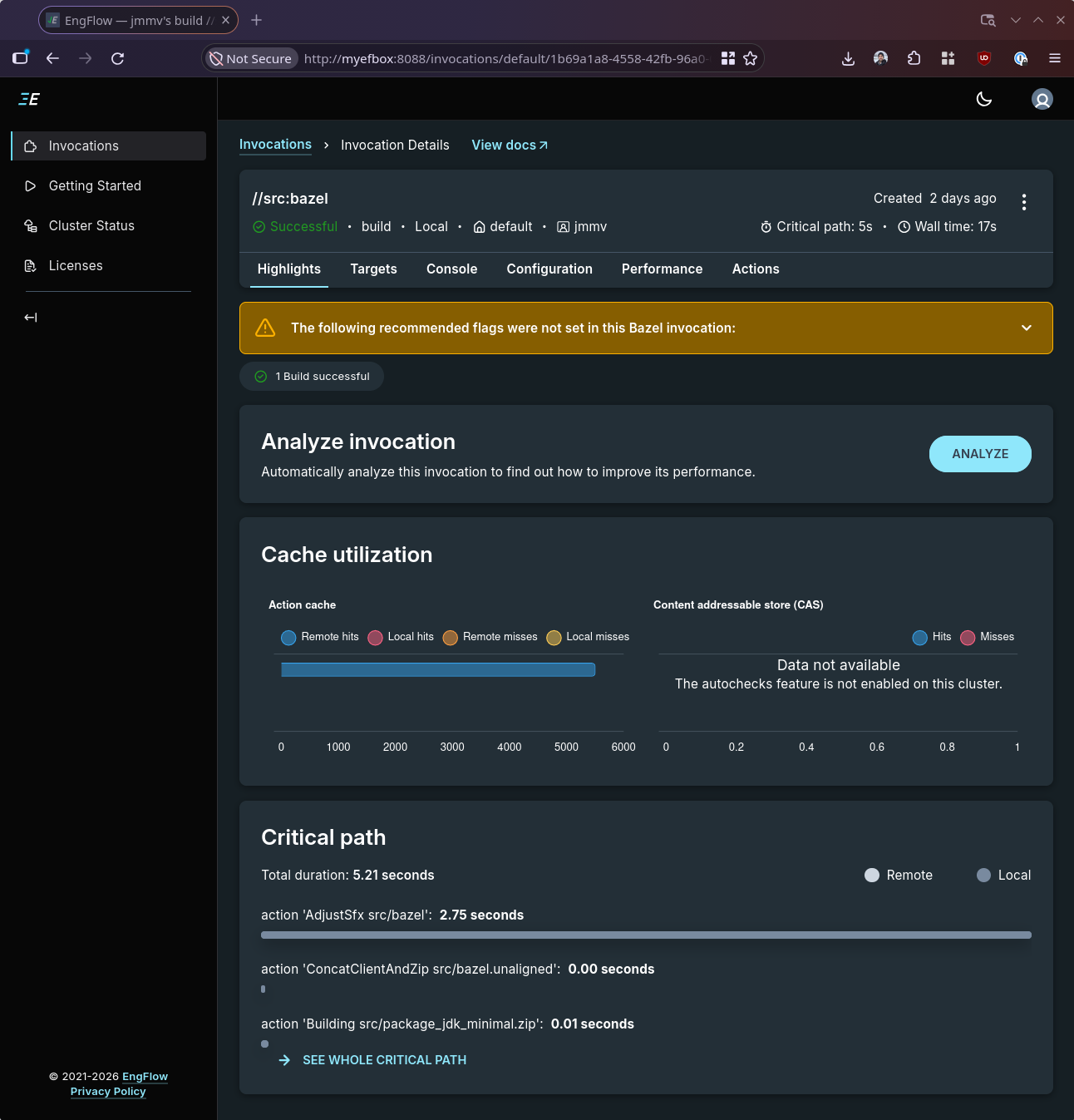
We can even peek into one of the builds to observe cache statistics:
One thing that did surprise me about this setup is the ability to carry power and Ethernet over a single USB-C cable between the Raspberry Pi 4 and the host. I didn’t know this was possible, and it’s a great feature: if you just want to use the Cache & Carry with your laptop, all you have to do is plug it in with one cable and it just works.
Bypassing Bazel
Getting Bazel to work against EngFlow was easy. But… as I told you earlier, EngFlow is not just a remote caching and execution service for Bazel: it is an implementation of the RE API.
With some imagination, you would think that there might be clients other than Bazel for this API, and you would be right. Buck 2—Meta’s build system—is an obvious example, but there are more niche clients. And the one I discovered while searching whether sccache supported EngFlow and finding that it didn’t was recc: a compiler wrapper like ccache and distcc that uses RE for caching and remote execution.
Building and installing recc is easy:
$ git clone https://gitlab.com/BuildGrid/buildbox/buildbox
$ cd buildbox
$ mkdir build
$ cd build
$ cmake ..
$ make recc
$ sudo cp recc/recc /usr/local/bin/recc.bin
$ █
But note I installed the binary as recc.bin, not recc. The rationale for this is that we have to configure recc. This is done via environment variables, and as I don’t like to pollute my regular environment with program-specific noise, I created a /usr/local/bin/recc launcher like the following:
#!/bin/sh

export RECC_SERVER=http://myefbox:8080
export RECC_CACHE_ONLY=true
export RECC_CACHE_UPLOAD_LOCAL_BUILD=true

exec "$(dirname "${0}")/recc.bin" "${@}"
With this in place, we can run a single compilation command and verify that the wrapper runs:
$ RECC_LOG_LEVEL=info recc cc -o hello.o -c hello.c
2026-11-10T22:50:59.201-0800 [2714722:140475801119040] [env.cpp:623] [WARNING] Warning: RECC_REMOTE_PLATFORM has no values.
2026-11-10T22:50:59.204-0800 [2714722:140475801119040] [recc.m.cpp:460] [INFO] Resolved "cc" to "/usr/bin/cc"
2026-11-10T22:50:59.242-0800 [2714722:140475801119040] [executioncontext.cpp:938] [INFO] Action not cached and running in cache-only mode, executing locally
2026-11-10T22:50:59.283-0800 [2714722:140475801119040] [executioncontext.cpp:617] [INFO] Action cache updated for [3a961c1e04f6bc70b7f02120c5379d0ac97667ed518548b6cb7895819b3aca7b/143]
$ █
And, with a repeated invocation, we can ensure that caching is in effect:
$ RECC_LOG_LEVEL=info recc cc -o hello.o -c hello.c
2026-11-10T22:51:06.294-0800 [2714773:140381786900800] [env.cpp:623] [WARNING] Warning: RECC_REMOTE_PLATFORM has no values.
2026-11-10T22:51:06.297-0800 [2714773:140381786900800] [recc.m.cpp:460] [INFO] Resolved "cc" to "/usr/bin/cc"
2026-11-10T22:51:06.337-0800 [2714773:140381786900800] [executioncontext.cpp:545] [INFO] Action Cache hit for [3a961c1e04f6bc70b7f02120c5379d0ac97667ed518548b6cb7895819b3aca7b/143]
$ █
Let’s go retro
OK, time to pick up the PowerBook G4 from 2004. This little 12" laptop sports a PowerPC G4 (7447A) running at a whopping 1.5 GHz, with 768 MB of RAM, a super-duper-slow 80 GB spinning drive, and a 100 Mbit Ethernet link. Not a lot, you’d say… but this computer was frigging amazing back in the day. I had the iBook G4 back in the day and was always jealous of the PowerBooks I saw in the wild, unaffordable to me, so when I could grab this one for $40 a few years ago, I just had to.
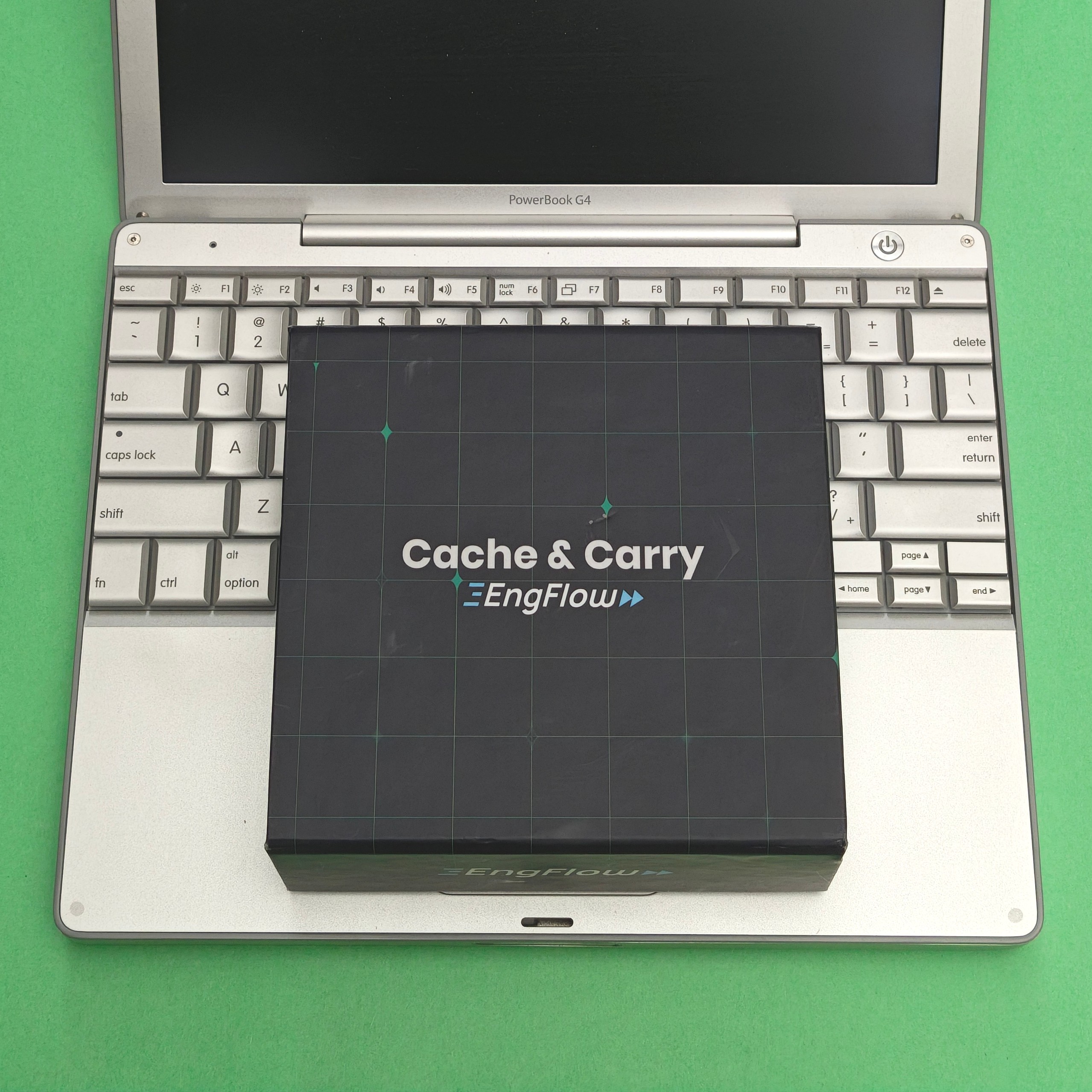
Right now, this machine is running Debian forky/sid, one of the only Linux distros out there that still works out of the box on 32-bit PowerPC. As of 2026-11-09, it reports:
Linux pbook 7.3.3+deb14-powerpc #1 SMP PREEMPT Debian 7.3.3-1 (2026-11-07) ppc
With the specs out of the way, let’s go back to the premise of the article: showing you what a massive and unsurprising difference (remote) caching can make during compilations, and how, because RE is “just a protocol”, we can leverage it even from old machines. For this, we’ll measure recc’s own build from a clean slate, cached and uncached, because it’s a large enough C++ project that takes about an hour to build out of the box—not too little, but also not so much as to be discouraging.
Here are the final numbers of the comparison:
| Compiler | PCH? | Uncached | Cached | Speedup |
|---|---|---|---|---|
| GCC 16.2 | yes | 3,470s (57m50s) | 516s (8m36s) | 6.7x |
| Clang 21.1.8 | yes | 2,398s (39m58s) | 504s (8m24s) | 4.8x |
| Clang 21.1.8 | no | 9,007s (2h30m7s) | 202s (3m22s) | 44.6x |
Let’s break them down.
First build, slow
My first attempt at using remote caching was to build recc with recc itself in the “default” configuration for recc and the toolchain installed by Debian. This meant GCC 16.2 and no custom flags to CMake.
The clean, fully-cached build took about 8 minutes to finish. This showed a nice ~7x speedup compared to the clean unwrapped build, but somehow it felt like not enough. Why did we still spend 8 minutes to compile something when everything should be cached?
I had two theories, but neither of them was valid:
The machine doesn’t have a lot of RAM for C++ compiles. Was
recccausing it to thrash, maybe because it buffers files in memory instead of transferring them in chunks? Looking at the code, the answer was no:reccimplements chunked uploads and downloads.The machine’s Ethernet port is slow. Were network transfers slowing things down? Not really either: the output tree is only ~150MB after a build. (Mind you, with Bazel and remote execution, you’d typically use
--remote_download_minimalto avoid ferrying large intermediate object files, but that’s not an option with a compiler wrapper that knows nothing about the end-to-end build graph.)
With both theories debunked, I had to look elsewhere: CPU consumption. It is no surprise that compiler wrappers are compute-heavy.
Second build, clang
One specific CPU-bound operation for C++ wrappers is dependency scanning: these wrappers have to (re)discover on their own what a specific compilation action depends on, because nothing tells them upfront. When the wrapper sees something like cc -o hello.o -c hello.c, it can tell that hello.o depends on hello.c… but what about the thousands of other implied dependencies like header files and toolchain binaries involved in that innocent invocation? You must know what those are in order to generate a cache key that can disambiguate different environments correctly.
Taking some measurements, dependency scanning was indeed the problem as more than 5 out of the total 8 minutes of the cached build were spent on it.
Looking through the codebase, I found that recc implements support for clang-scan-deps: a helper tool that ships with Clang and is specifically designed to speed up dependency discovery. Would it help here? I switched to Clang, reran the build and… whoops, still no bueno. The unwrapped build was, interestingly, much faster than the GCC one, but clang-scan-deps did not help: the logs claimed that it succeeded only for 23 out of 124 scanner runs, and so it didn’t materially change the overall result.
Third build, no PCH
Looking further, I found that clang-scan-deps was not being effective: recc’s scanner adds -undef to the compile commands, and because precompiled headers (PCHs) had been built without that option, Clang rejected using it.
So… what if we disable PCHs by adding -DCMAKE_DISABLE_PRECOMPILE_HEADERS=ON to the CMake invocation? Well, it turns out this made no difference either because CMake emits -Xclang -fno-pch-timestamp in this case, and apparently recc probes for these flags wrong, which in turn causes recc to fall back to slow dependency scanning.
I applied a very hacky, targeted fix to recc to ensure clang-scan-deps was effective, reran the measurements, and got these numbers. Focus on the PCH? and Dep scanning columns:
| Compiler | Elapsed | PCH? | Dep scanning |
|---|---|---|---|
| GCC 16.2 | 516s (8m36s) | yes | 373.8s (6m13s) |
| Clang 21.1.8 | 504s (8m24s) | yes | 384.6s (6m25s) |
| Clang 21.1.8 | 202s (3m22s) | no | 97.1s (1m37s) |
Yay! End-to-end clean, fully-cached build times fell from 8 minutes to 3 minutes, and those 3 minutes are pretty much the cost of the entire build and account for local non-compiler work such as protobuf generation and linking. Still not zero, but much better than what we started with.
To conclude
Here is the 1-minute video comparing build times. The difference is pretty massive:
As you can see, there is nothing magical about remote caching, and EngFlow’s Cache & Carry is a little toy to play with this technology. You can, of course, download an open source alternative such as Builbarn, but playing with a preconfigured appliance was fun and removed a lot of the complexities of setting such a system up.
When paired with a modern build system such as Bazel, remote caching (and execution) can be trivially enabled and can achieve near 0-second build times when the whole build is cached: these build systems have precise knowledge of the full build graph and know which paths in it are or are not invalidated for a given build. And because they have this knowledge, they can apply optimizations to the whole build such as not downloading intermediate artifacts.
But as we have seen, RE is just a protocol, and if you can speak it, you can leverage it from pretty much any machine (even if ancient and “worthless”) and any build system. You’ll hit some inherent limitations, like a compiler wrapper having only a very narrow view of the build, or you’ll have to deal with strange corner cases that don’t allow maximum efficiency, but you can make it work.
Keep caching and carrying!